
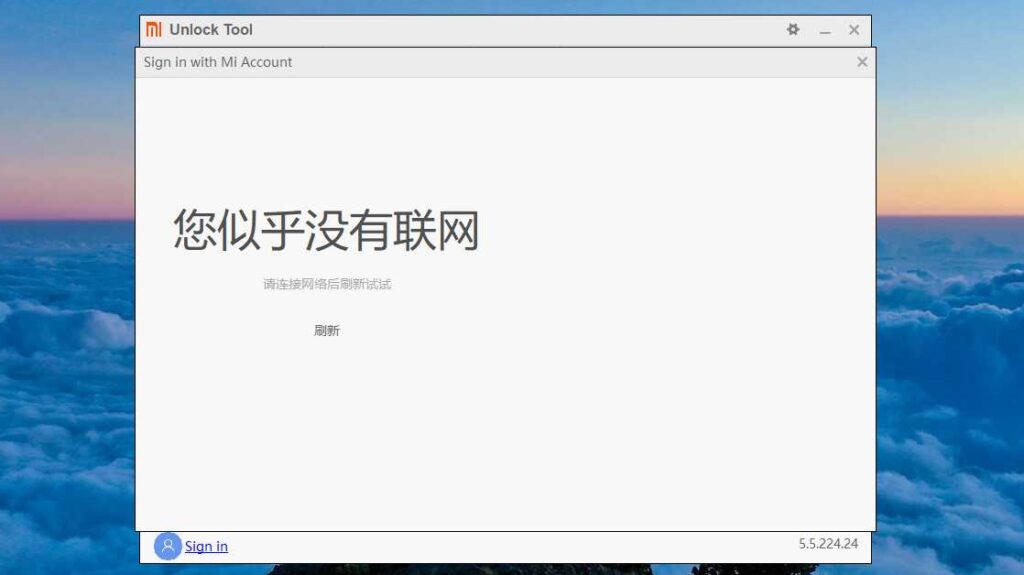
So, you want to unlock the bootloader of your phone with the Mi-Unlock Tool. But the sign-in page is not opening in the Mi Unlock tool and when you click on the sign-in button it shows some text in Chinese. Well, here we are showing you what is it and how you can fix it.
Mi Unlock Tool Sign-in Page Not Opening
Sometimes the sign-in page in the Mi unlock tool is not opening and there are various possible reasons for this.
Reasons :
Older Version – If you are using a very old version of the Mi unlock tool then this sign-in issue is common, because the manufacture may discountinued that version from accessing or connecting to its servers.
Internet Access – The Mi Unlock tool requires an internet connection to open the sign-in page. So make sure that your PC/laptop is connected to the internet service.
Leave a Reply