

Pubg Mobile or Battlegrounds Mobile India has several X-Suit and it keeps adding every 6 months. But do you know how you can see and take a look at these X-Suits in the game? In this post, we’ll take a look at how you can see all the level-ups and other details about all the X-Suits.
How to See All X-Suits in BGMI
- Open the game on your device.
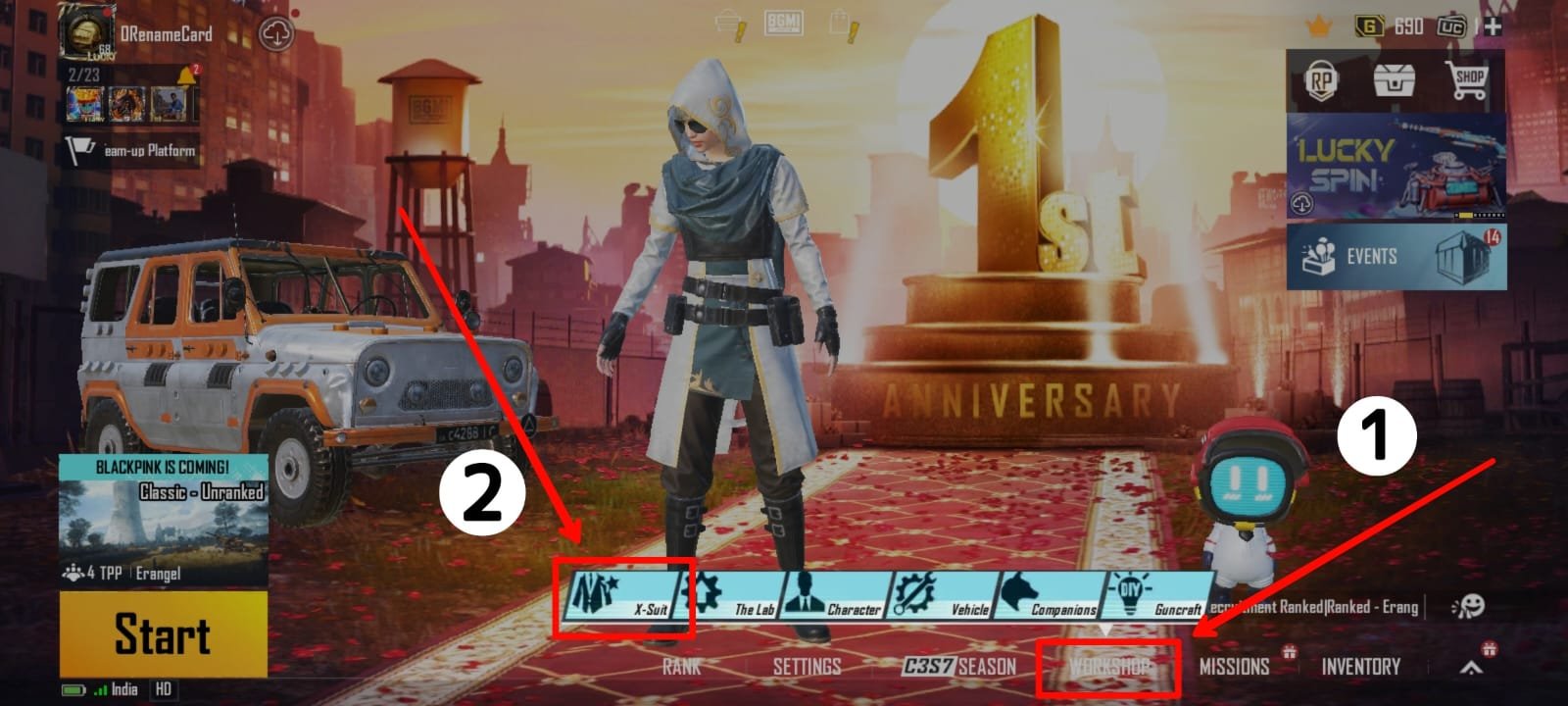
- Now from the lobby, tap on the workshop option at the bottom.
- Then tap on the ‘X-Suit’ option.

- There you will get the collection of all the X-Suit that came to the game so far.

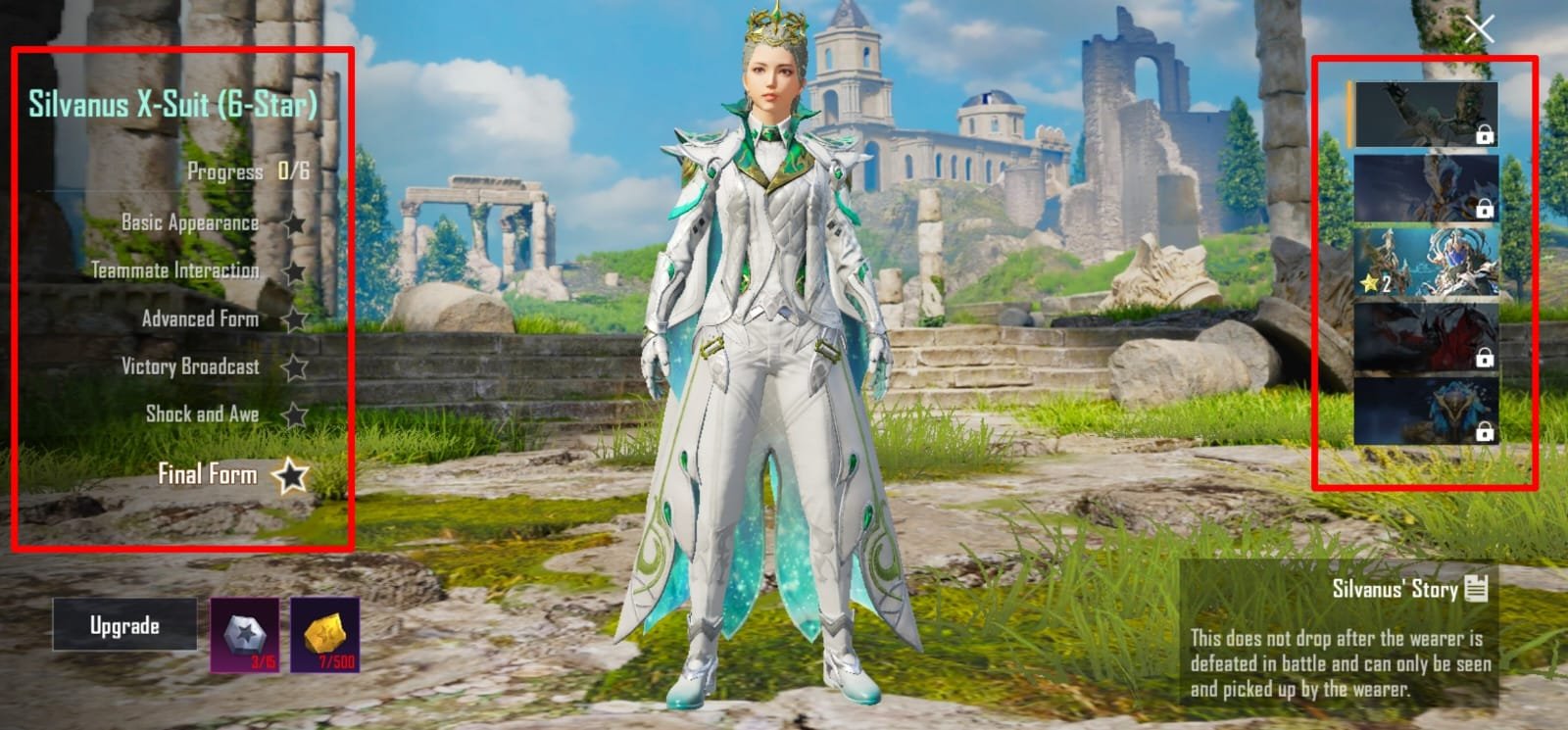
Also if own any X-Suit then it will show it unlocked and non-owned X-Suit will be locked, but you can see their upgrades and levels.
Upgrade X-Suit
From the X-Suit collection page, you can also upgrade your X-Suit to the next level using the required materials.
X-Suit Not Showing
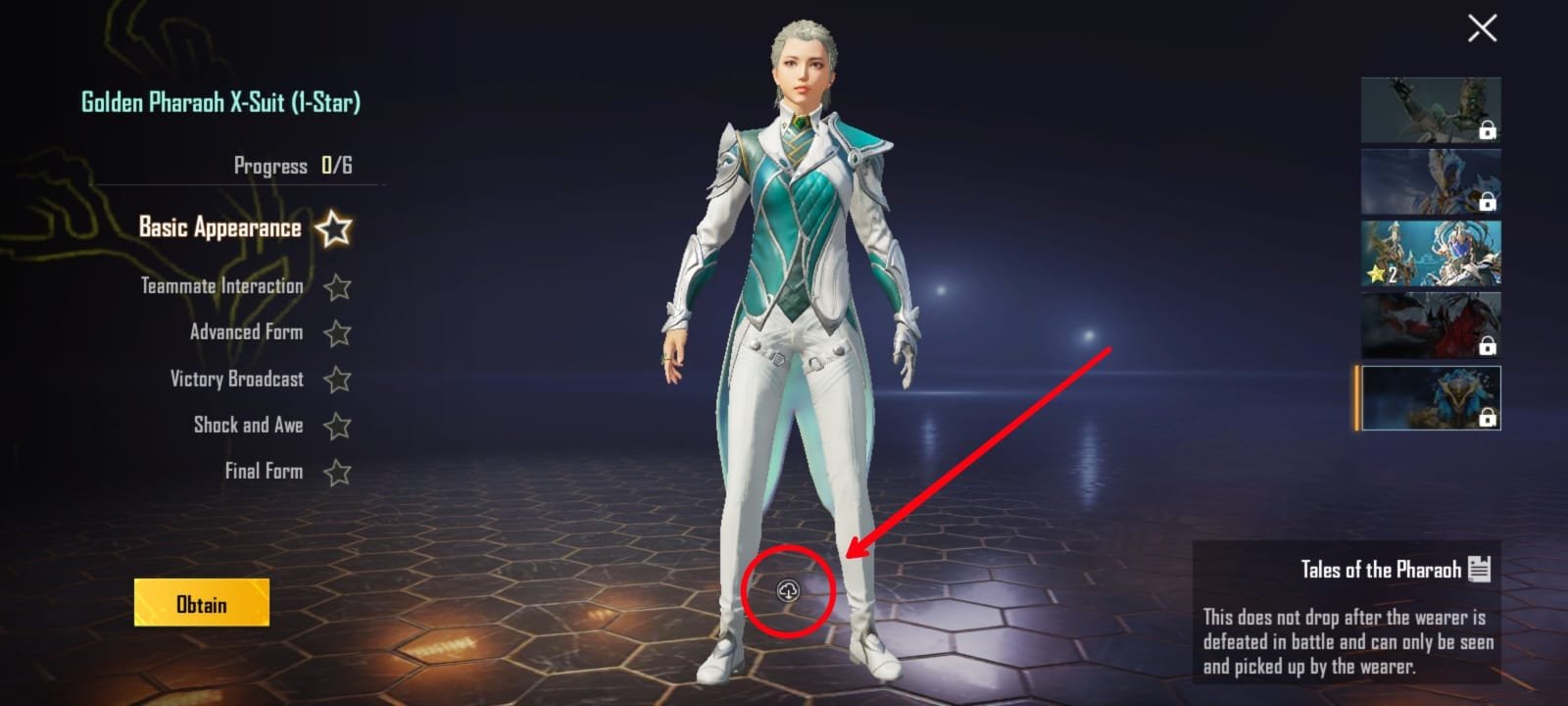
If the X-Suit is not showing under workshop>X-Suit, then there may be a chance that the resources related to the X-Suit are not downloaded on your phone. To fix it, tap on the download button and wait for some time to get the X-suit data downloaded on your phone.
Read More – How to See Top Players in Pubg Mobile-Bgmi
Leave a Reply