

GSnap is a audio tuner plugin for audacity, you can tune your vocals using the GSnap plugin in audacity. In this post we’ll see that how you can download and install the GSnap plugin on your Audacity.
What is GSnap?
GSnap is an Audacity plugin that can be used to tune the vocals or sounds. You can tune the min or max frequencies in your audio, manage the speed, attack, release, pitch, etc with this plugin. There are also some inbuilt presets that you can use with your audio.

How to download GSnap for Audacity ?
You can download the GSnap plugin from the official site of the plugin, the GSnap plugin is available for Windows, Mac and Linux as well. To download he GSnap plugin follow the steps :
Open your browser and type GSnap on Google.
Now open the first search result. The URL will be https://www.gvst.co.uk/gsnap.htm
Now click on Download the G Snap VST plug-in. It will redirect your to a new page like below.
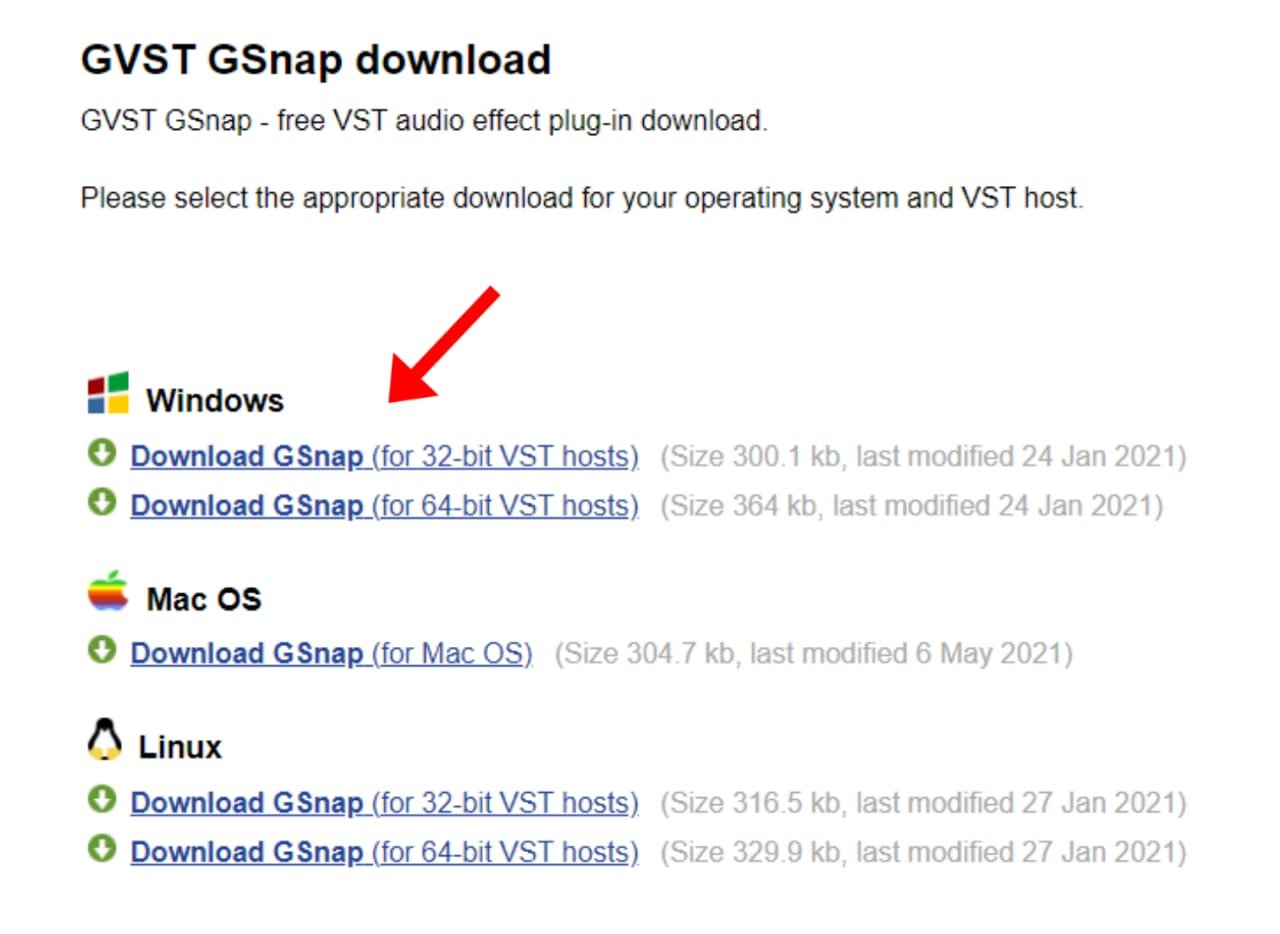
Now download the G Snap plugin according to your OS.
How to Install the GSnap plugin in Audacity ?
Download the GSnap VST plugin (guide above).
Now extract the zip file of the GSnap plugin.
Now open the extracted folder and copy the ‘GSnap.dll‘ file.
Now paste the dll under this location on your pc.

After doing this, now open the Audacity software.
Now go to effects and add or remove plugin option.

Now look for GSnap there. Once find, you will see its status as new, click on GSnap and enable it. Click ok.
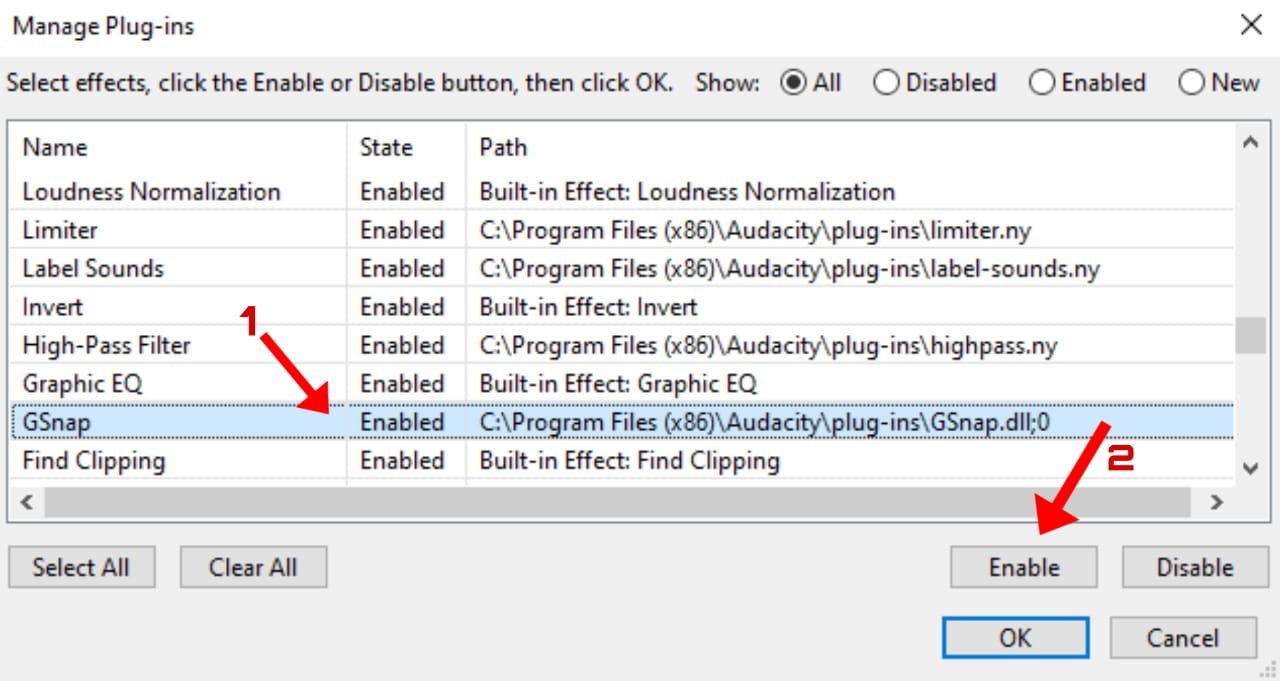
That’s it. GSnap is now successfully installed on your Audacity, now you can use it from the effects panel.
Leave a Reply